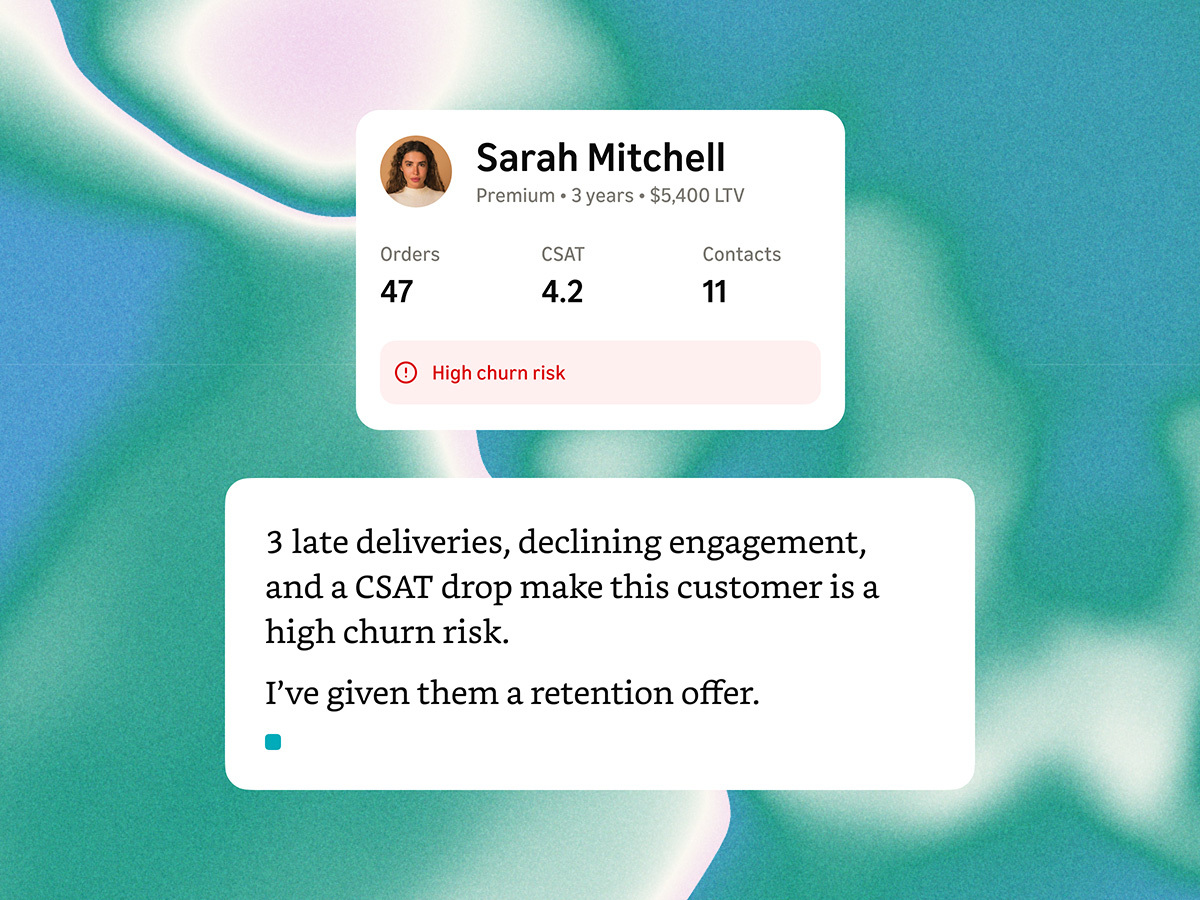

When a customer calls your contact centre, the agent should see their full history — open cases, recent purchases, loyalty tier, prior interactions — before saying hello. When that context lives in Salesforce but the call lands in Amazon Connect, Genesys Cloud, or Webex CC, you need a deliberate integration architecture. This guide covers the identity resolution, screen pop, and data sync patterns we deploy for Salesforce-centric enterprises in APAC.
The problem: fragmented customer identity
Most enterprises accumulate customer records across systems without a single golden record. Salesforce holds the CRM profile. The contact centre has its own customer ID. Marketing automation uses email as the key. The result: agents waste 30–45 seconds per call searching for the right record, and customers repeat information they already provided on a previous channel.
Customer data unification solves this by establishing a single identity resolution layer that maps phone numbers, email addresses, and account IDs to one canonical customer profile — then pushes that profile to the agent desktop at the moment of interaction.
Integration pattern 1: Real-time screen pop via CTI
The most common pattern for voice interactions. When a call arrives, the contact centre platform triggers a CTI (Computer Telephony Integration) event that Salesforce Open CTI or a middleware layer consumes:
- Inbound call arrives with ANI (caller ID)
- Contact centre invokes a Lambda function or API middleware with the ANI
- Middleware queries Salesforce:
SELECT Id, Name, AccountId, Tier__c FROM Contact WHERE Phone = :ani LIMIT 1 - Salesforce record ID returned as a contact attribute
- Agent desktop auto-opens the Salesforce record (screen pop)
// Middleware: Salesforce lookup on inbound call
async function resolveCustomer(ani) {
  const normalized = normalizePhone(ani, 'SG'); // E.164 format
  const contact = await salesforce.query(
    `SELECT Id, Name, Account.Name, Loyalty_Tier__c
     FROM Contact
     WHERE Phone = '${normalized}'
        OR MobilePhone = '${normalized}'
     LIMIT 1`
  );
  if (contact.records.length === 0) {
  return { matched: false, fallback: 'create_interaction' };
  }
  return {
    matched: true,
    salesforceId: contact.records[0].Id,
    customerName: contact.records[0].Name,
    accountName: contact.records[0].Account?.Name,
    tier: contact.records[0].Loyalty_Tier__c
  };
}
Latency target: under 500ms from call arrival to screen pop. Anything slower and agents start looking up records manually.
Integration pattern 2: Event-driven sync via platform events
Screen pop handles the inbound moment. But agents also need data that changes during the interaction — a case created, an order placed, a note added. Event-driven sync keeps both systems current without polling.
Architecture:
- Salesforce Platform Events — publish on Contact, Case, or Opportunity changes
- Event bridge — AWS EventBridge, Azure Service Bus, or MuleSoft Anypoint consumes events
- Contact centre update — write changed attributes to the active contact record via platform API
This pattern works well when agents update Salesforce during the call (logging a case, updating an address) and the contact centre needs that data for routing decisions on transfer or callback.
Integration pattern 3: Batch identity resolution
Not every match happens in real time. For outbound campaigns, chat transcripts, and email threads, run batch identity resolution nightly:
- Export unmatched interactions from the contact centre (no Salesforce ID attached)
- Run fuzzy matching on phone, email, and name against Salesforce Contact and Lead objects
- Auto-match above 95% confidence; queue 80–95% for manual review; discard below 80%
- Write resolved IDs back to both systems
Batch resolution improves analytics accuracy — without it, 15–25% of interactions appear as "unknown customer" in your reporting, making ROI calculations unreliable.
Identity resolution edge cases
Real-world deployments encounter match failures. Handle these explicitly:
- Multiple matches — two contacts share a household phone number. Present a disambiguation screen to the agent rather than guessing
- No match — create a lightweight interaction record in Salesforce with the ANI, channel, and timestamp. Link it later if the customer provides identifying information
- Blocked caller ID — prompt the agent to ask for account number or email; use IVR pre-authentication for high-security flows
- Shared business lines — route to a team queue without individual screen pop; use account-level lookup instead of contact-level
Data governance and privacy
APAC enterprises must account for PDPA (Singapore), APPs (Australia), and POPIA (South Africa) when syncing customer data between systems. Practical controls:
- Sync only fields agents need on the desktop — not the entire Salesforce record
- Log every screen pop event with agent ID and timestamp for audit trails
- Implement field-level encryption for sensitive attributes (NRIC, passport number) in transit
- Define data retention policies for interaction logs that reference Salesforce IDs
Measuring integration success
Track these KPIs from day one of go-live:
- Screen pop match rate — target 85%+ for inbound voice
- Time to context — seconds from call connect to agent viewing customer record
- Repeat authentication rate — % of calls where customer re-states information already in CRM
- Agent handle time delta — compare pre- and post-integration AHT
A successful unification project typically reduces average handle time by 45–90 seconds and improves first-contact resolution by 8–12 percentage points.
What's next
Customer data unification is the prerequisite for predictive routing, AI agent context, and personalised self-service. Once the identity layer is stable, extend it to marketing automation and product analytics for a true 360-degree customer view. Explore our integration use cases or speak with our team about a Salesforce + contact centre assessment.