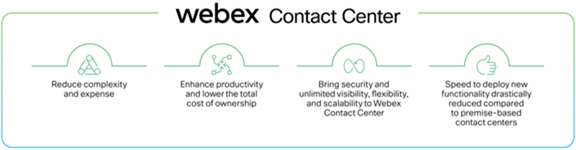
Replacing a legacy IVR with conversational AI is one of the highest-impact, highest-risk projects in contact centre modernisation. Done well, you eliminate phone tree frustration and deflect 30–40% of tier-1 volume. Done poorly, you strand customers in loops, spike abandonment rates, and erode years of IVR investment. This playbook describes the phased migration approach we use across Amazon Connect, Genesys Cloud, and Webex Contact Center deployments.
Why big-bang cutover fails
Legacy IVR systems encode years of business logic — holiday schedules, VIP routing, regulatory disclosures, language selection, and hundreds of menu branches that nobody documented. A big-bang replacement assumes you can map all of this to AI intents in a single release. In practice, you discover edge cases in production that no test plan anticipated.
The alternative is a phased migration with three safety mechanisms: shadow mode, parallel run, and channel-by-channel cutover. Each phase has clear entry criteria, success metrics, and rollback procedures.
Phase 1: Intent mapping and shadow mode
Before building anything, instrument your existing IVR. Export six weeks of call detail records and IVR traversal logs. Map every menu path to an intent:
- High-volume, low-complexity — order status, balance enquiry, store hours → AI candidates
- High-volume, high-complexity — billing disputes, claims → AI with escalation, not full automation
- Low-volume, regulatory — mandatory disclosures, compliance scripts → keep in IVR or static AI response
- Dead branches — menu options with fewer than 10 hits per month → retire, don't migrate
Build the conversational AI for category one intents only. Then enter shadow mode: when a customer calls, the AI processes the utterance in parallel but the IVR still drives the interaction. Log both paths and compare outcomes.
# Shadow mode routing (contact flow pseudocode)
ON inbound_call:
  SET ai_result = invoke_conversational_ai(caller_utterance)
  LOG shadow_comparison(
    ivr_path = current_ivr_selection,
    ai_intent = ai_result.intent,
    ai_confidence = ai_result.confidence,
    match = ivr_path == ai_result.intent
  )
  CONTINUE ivr_flow  # IVR still handles the call
Run shadow mode for a minimum of two weeks across all dayparts and at least one public holiday. You need volume diversity to catch edge cases.
Phase 2: Parallel run with customer choice
Once shadow mode shows 85%+ intent match accuracy, offer customers a choice at the top of the IVR: "Press 1 to speak naturally, or press 2 for the menu." Track adoption rate and resolution outcomes separately.
Parallel run typically lasts 3–4 weeks. Key metrics:
- AI adoption rate — what % of callers choose the conversational path?
- AI containment rate — resolved without agent transfer
- AI escalation rate — transferred to agent, and at what point in the conversation?
- Comparative CSAT — post-call survey split by path
If AI CSAT is within 5 points of IVR CSAT and containment exceeds 60%, proceed to cutover. If not, tune intents and re-run parallel for another two weeks.
Phase 3: Channel cutover
Cut over one channel at a time, not all channels simultaneously:
- Week 1–2 — inbound PSTN voice (highest volume, most tested)
- Week 3 — web chat widget (same AI engine, different channel adapter)
- Week 4 — async messaging (WhatsApp, SMS — lower urgency, more tolerance for AI errors)
- Week 5+ — retire IVR menus for migrated intents; keep IVR skeleton for regulatory and fallback
During voice cutover, maintain a DTMF escape hatch: "Press 0 at any time to reach the menu." This safety valve prevents customer frustration during the transition and gives you data on which intents still fail in AI.
Rollback procedures
Every phase needs a documented rollback that can execute in under 15 minutes:
- Contact flow toggle — a single parameter (e.g.,
ai_enabled = false) that reverts to full IVR routing - DNS/number routing — for physical line cutovers, keep the legacy IVR number active for 30 days post-migration
- Agent briefing — agents should know when rollback happens and what to tell customers
We've executed rollback twice in the past year — both times due to upstream API failures, not AI quality issues. The rollback worked because it was rehearsed, not because it was improvised.
Post-migration: the IVR retirement plan
Don't delete the legacy IVR on cutover day. Run it in standby for 60 days with traffic at less than 5%. After 60 days with no rollback:
- Archive IVR call flows and business logic documentation
- Decommission unused menu branches and retire the IVR platform license
- Redirect any remaining DTMF-only paths to the AI with a static response
The cost savings from IVR license retirement typically fund the next phase: agent assist, knowledge base integration, or outbound campaign automation.
What's next
A successful IVR-to-AI migration is the foundation for everything else — predictive routing, CRM screen pop, and self-service knowledge deflection all perform better when the front door is conversational. See our AI Support Agent Quickstart for the full engagement model, or contact us to assess your IVR migration readiness.