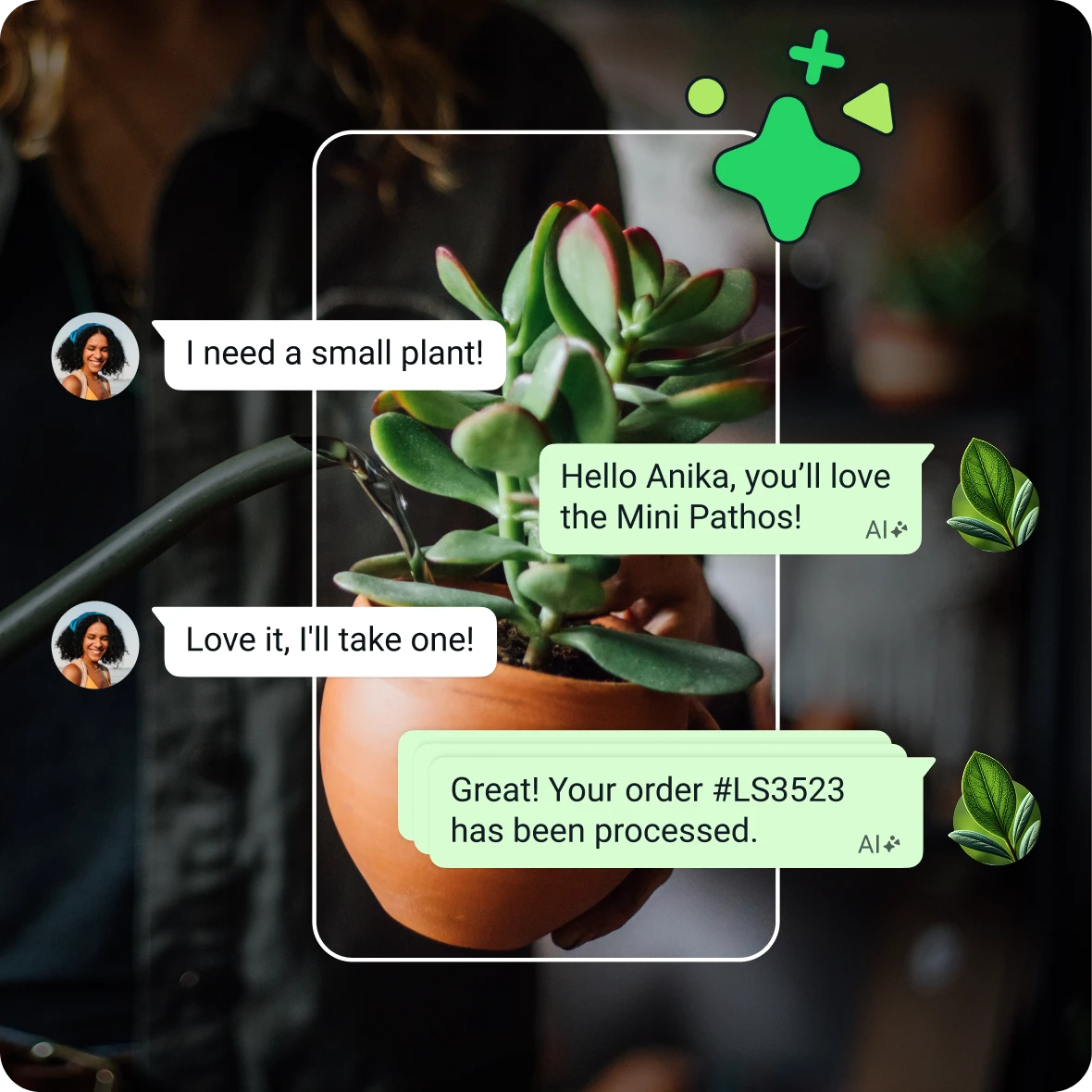
WhatsApp has become the default channel for customer communication in APAC — 98% of adults in Singapore use it regularly. For businesses, that means customer support, sales inquiries, and account notifications now expect WhatsApp as a first-class channel. Meta's WhatsApp Business Platform has matured significantly in 2024–2025, and the ecosystem has split into two distinct approaches: the legacy Cloud API (direct integration via Meta) and the newer Co-Existence method (hybrid model). This guide walks through both, comparing platforms, pricing, and business models so you can choose the right path for your use case.
Why WhatsApp automation matters for customer experience
Customer expectations have shifted. Traditional email support now feels slow; chat support feels expected; WhatsApp support feels premium. Here's why businesses are prioritizing it:
- Ubiquity in APAC — 85% of messaging in Southeast Asia happens on WhatsApp, above Telegram, WeChat, and LINE combined
- Warm channel — WhatsApp carries higher trust than SMS or email, leading to 30–50% higher engagement on notifications
- Rich media support — native support for documents, images, audio, video, and location sharing — no separate attachments tab
- Cost advantage — templated messages cost $0.0072–0.02 per message; support tier varies but caps at $0.10 per conversation, not per message
Two ways to connect WhatsApp
Meta officially supports two pathways to integrate AI and automation with WhatsApp. Each has its own technical flow, constraints, and ideal use cases.
Method 1: Cloud API (the traditional path)
This is the original way to hook into WhatsApp for automation — you integrate directly with Meta's Cloud API via Meta Business Manager. It's fully supported, battle-tested, and used by large enterprises, but it requires more upfront setup and custom infrastructure.
How it works:
- Account setup: You log into Facebook Business Manager with a 3+ month old account, create a business portfolio, and verify your company details via Udyam Certificate (or equivalent business registration in your country)
- API access: Head to Meta for Developers, create an app, and request WhatsApp API access. Meta reviews your use case and business info — approval typically takes 2–5 days for standard use cases, longer for high-volume or sensitive verticals
- Phone number connection: You tie your business phone number to your Meta app (this number becomes your WhatsApp Business account). If you want to use an existing personal WhatsApp number, you must first delete the WhatsApp account tied to it
- Custom dashboard: Meta's Cloud API does not provide an inbox or conversation management interface. You must build your own dashboard to view message history, track conversations, and manage routing
- Agent layer: On top of the API, you build or deploy an automation platform (LLM agent, chatbot framework, or no-code tool like n8n, Zapier, or specialized WhatsApp bots) to handle logic, NLP, and escalations
Why businesses use this approach:
- Full control over conversation flow and data routing
- Can integrate with any backend (CRM, knowledge base, payment systems)
- No per-conversation middleman fees — you only pay Meta's message charges
- Mature ecosystem: dozens of automation platforms (Twilio, Sinch, n8n, Make) already support it
Why it's harder now:
- You own the dashboard and conversation history — this responsibility scales with volume
- Only free-form messages work in the first 24 hours of a new conversation; outside the service window, only pre-approved message templates can be sent
- Limits: 1,000 API calls per second per app, but conversation initiation throughput is lower in practice
Method 2: Co-Existence (the modern path)
Launched in 2023, Co-Existence is Meta's answer to businesses wanting to keep WhatsApp Personal app running while enabling business automation in parallel — no migration, no phone number juggling, no account deletion required. The two apps (WhatsApp and WhatsApp Business) run simultaneously on the same phone number.
How it works:
- WhatsApp Business App setup: Create an account in the WhatsApp Business App (separate from the personal app). Link it to your business phone number via embedded signup
- Become a Business Solution Provider (BSP) or Tech Provider: Register with Meta as either a BSP (handles billing and API calls for clients) or a Tech Provider (client pays Meta directly for usage). This is a one-time registration
- Cloud API enablement: Same Cloud API access as Method 1, but without deleting your existing WhatsApp account
- Hybrid operation: Your team can still use WhatsApp Personal for manual replies; your automation runs in parallel. Conversations synced across both sides in real-time
- One conversation, two interfaces: A customer's message appears in both the WhatsApp Business App (for your team to see and reply manually) and your automation system's API logs (for bots to process)
Why it's becoming the standard:
- Zero disruption to existing workflows — your team keeps using WhatsApp Personal
- Hybrid mode de-risks automation — if the bot fails, your team can jump in and reply manually from the same conversation
- Better for APAC SMEs — most businesses in Singapore, India, and Indonesia use WhatsApp manually first, then add automation incrementally
- Same API, better UX — you get all the Cloud API capabilities plus built-in conversation management via the Business App
The catch:
- You must formally register as a BSP or Tech Provider with Meta (this involves compliance checks)
- If you go the BSP route, you handle billing directly — clients don't pay Meta, they pay you. You're responsible for usage tracking and monthly invoicing
Step-by-step: Cloud API method (traditional approach)
If you're going directly to Meta's Cloud API without Co-Existence, here's the setup sequence:
Step 1: Prepare your Facebook Business Manager account
Log in to Facebook Business Manager. Your account must be at least 3 months old, and you'll need to verify business information (Udyam Certificate in India, ACRA in Singapore, equivalent in other countries). Small, brand-new accounts may face longer review cycles.
Step 2: Create a business portfolio and add admin access
In Business Manager, create a Portfolio entry with your company name, website, and contact details. Invite team members who will manage the WhatsApp integration — they need Business Admin or Catalog Manager roles.
Step 3: Go to Meta for Developers, create an app
Navigate to developers.facebook.com, create a new app (select "Business" as the app type), and request WhatsApp API access. Meta will ask for:
- Use case description (e.g., "Customer support chatbot for e-commerce orders")
- Estimated monthly message volume
- Vertical (retail, fintech, healthcare, etc.)
- Your business's compliance history (any past platform violations)
Approval is typically 2–5 days. High-volume or regulated verticals (financial services, healthcare) may take 2+ weeks.
Step 4: Verify your phone number and connect it to the app
In your Meta app's WhatsApp settings, add your phone number. Meta will send a verification code via SMS or WhatsApp. For an existing WhatsApp number, you must first delete the personal account attached to it (this un-pairs the number from WhatsApp). Once deleted, that number becomes eligible for the Cloud API and can be re-activated within 30 days.
Step 5: Build or deploy your dashboard and agent layer
Meta's API does not include a built-in inbox. You must build or use a third-party automation platform. Common choices:
- No-code platforms: n8n, Make, Zapier (easiest for non-technical teams, limited customization)
- Managed WhatsApp platforms: Twilio, Sinch, Wati, MessageBird (better UX, higher cost)
- Custom-built: LLM agents (OpenAI API + GPT-4, Anthropic Claude, Llama 2) connected to a backend queue system (your own or AWS SQS, GCP Pub/Sub)
Your agent receives webhook events for inbound messages, builds responses (via LLM or rule-based logic), and sends replies back via the Cloud API.
Limitations to know:
- You must build your own conversation archive and customer history management
- 24-hour service window applies: after 24 hours, only templated messages are allowed
- No built-in read receipts or typing indicators in the base API (available in higher-tier SDKs)
Step-by-step: Co-Existence method (recommended for new builds)
Co-Existence is simpler because it reuses Meta's existing infrastructure. If you're building a new automation or migrating to a hybrid model, this is the path Kanithi recommends for APAC businesses.
Step 1: Set up WhatsApp Business App account
Download the WhatsApp Business App (separate app from WhatsApp Personal, available on iOS and Android). Create a new account tied to your business phone number.
Step 2: Register as a Business Solution Provider (BSP) or Tech Provider
Head to Meta's Business Partner Program and register as one of the following:
- Business Solution Provider (BSP): You handle billing on behalf of your client. You pay Meta for API usage, mark it up, and invoice your client. Best if you're a consulting firm or agency reselling WhatsApp automation to multiple clients. Requires compliance checks (EIN/GST, bank account).
- Tech Provider: Your client pays Meta directly via their own account. You integrate the API and provide software/support. Better for SaaS platforms or software vendors. Lower compliance overhead.
Approval typically takes 5–10 business days.
Step 3: Enable Embedded Signup in your app or platform
Once approved, you can offer "Connect WhatsApp" flows to your clients. Embedded Signup lets them authorize Cloud API access directly from your app without leaving your UI — no separate Meta Developer account required.
Step 4: Build your agent and connect it to the API
Same as Cloud API: build or deploy your automation layer. The difference is that your client's team can still use WhatsApp Business App to view and manually reply, while your bot processes messages in parallel.
Step 5: Monitor and iterate
Use Meta's Conversation Analytics dashboard (visible in Business Manager) to track message volume, response times, and common issues. A/B test templates and refine your escalation logic.
BSP vs Tech Provider: Which model?
This decision determines who pays Meta and how your business model scales.
Business Solution Provider (BSP)
| Dimension | Detail |
|---|---|
| Billing flow | BSP pays Meta → BSP invoices client with margin (typically 5–20%) |
| Best for | Agencies, consulting firms, managed service providers |
| Your revenue | Margin on messaging + software/service fees |
| Client experience | Single invoice (bundled), simpler for SMEs |
| Compliance burden | Higher — you're responsible for usage tracking, fraud detection, payment disputes |
Tech Provider
| Dimension | Detail |
|---|---|
| Billing flow | Client pays Meta directly → Tech Provider charges for software/integration only |
| Best for | SaaS platforms, software vendors, integration marketplaces |
| Your revenue | Subscription/SaaS fees, setup fees, premium features |
| Client experience | Two invoices (Meta + your platform), but transparent API costs |
| Compliance burden | Lower — Meta handles billing, you just provide the software |
Recommendation for APAC:
Most Kanithi clients in Singapore and India start as Tech Providers: they want transparent API costs and don't want to manage billing. As they mature and build white-label solutions for resale, they transition to BSP. The choice often comes down to whether you're building a service for one client or a platform for many.
Platform options and pricing (as of Aug 2026)
Meta Cloud API (direct)
- Inbound messages: Free
- Outbound messages (outside 24h window): $0.0072–0.02 per templated message, depending on country tier
- Support conversation: $0.10 per conversation (1 customer, up to 24 hours of back-and-forth)
- Marketing conversation: $0.005–0.10 per conversation, depending on country
- No setup fees
- SLA: 99.5% uptime for business accounts
Managed platforms (Twilio, Sinch, Wati, etc.)
- Twilio: $0.0079–0.03 per outbound message + $9–99/mo for SDKs
- Wati (APAC-focused): $25–500/mo depending on volume tier + message charges pass-through
- Sinch: $0.012–0.04 per message + managed platform fees
- n8n (self-hosted): Free open-source + your infrastructure + manual Meta setup
For SMEs in Singapore sending 10K–50K messages/month, a managed platform typically costs 20–30% more than raw Meta API, but includes dashboard, compliance support, and escalation tooling included — often worth it.
Comparing a real example: support chatbot for e-commerce
Scenario: E-commerce store in Singapore, 50K monthly order notifications + 5K support inquiries (conversations).
- Setup time (Cloud API, direct): 2–3 weeks (Meta approval, custom dashboard build, agent integration, testing)
- Monthly cost (Meta direct): 50K templated messages × $0.0075 (Singapore tier) = $375 + (5K support conversations × $0.10) = $500 + server costs for your dashboard = ~$700–900/mo
- Setup time (Co-Existence via managed platform): 5–7 days (embedded signup, pre-built dashboard, out-of-the-box templates)
- Monthly cost (managed platform): Platform fee ($150–300/mo) + Meta pass-through ($700–900/mo) = $850–1,200/mo
The managed platform costs 20% more but saves you 2 weeks of setup, ongoing dashboard maintenance, and compliance overhead. Most APAC businesses choose this path.
Key decisions before you build
Before committing to either approach, validate:
- Channel fit: Do your customers actually prefer WhatsApp? Run a survey or pilot. Support requests via email ≠ demand for WhatsApp.
- Message volume seasonality: Account for peak load (e-commerce during festival season, fintech during bonus months). Your platform's throughput limits matter.
- Escalation path: Where do conversations go if the bot fails? Do you have human agents ready? This isn't a 2-week deployment; it's a 3–6 month operational ramp.
- Compliance and data residency: WhatsApp data is stored in AWS Singapore (ap-southeast-1) and US. For regulated verticals (fintech, healthcare), verify this meets your data residency requirements.
- Measurement: Define success upfront. Is it resolution rate, first-response time, cost savings, or customer satisfaction? Without this, you'll over-invest in automating the wrong flows.
Next steps
If you're exploring WhatsApp automation for customer support, sales, or notifications, start with this checklist:
- Week 1: Decide: Cloud API direct vs Co-Existence? BSP vs Tech Provider? Pick the model that matches your team's appetite for infrastructure vs simplicity.
- Week 2–3: Pilot one use case. If you sell e-commerce, test order updates. If you run a service business, test appointment reminders. Measure opt-in rate and engagement.
- Week 4–6: Build or deploy your agent layer. If using a managed platform, this is days, not weeks. If direct to Meta, allocate 3–4 weeks for development and testing.
- Week 7–12: Run in shadow mode (bot and human agent in parallel) to measure bot accuracy and identify untrained edge cases.
- Month 4+: Go live incrementally — automate top 10 intents first, measure, then expand to long tail.